
Patient Portal
Manage your care from any device. Riverview Pharmacy’s patient portal gives you easy access to essential pharmacy services — anytime, anywhere.
Manage your care from any device
- Request refills. Request medications from your personal device, any time of day.
- Chat with our team. Message the pharmacy team directly with questions or concerns.
- Schedule appointments. Book a service at a time that works best for you.
- Manage family members. Coordinate prescriptions and care appointments for family members from one account.
At Riverview Pharmacy, we’re proud to offer personalized, user-friendly tools to support your health. Install our Patient Portal on your personal device today and simplify the way you manage your care.
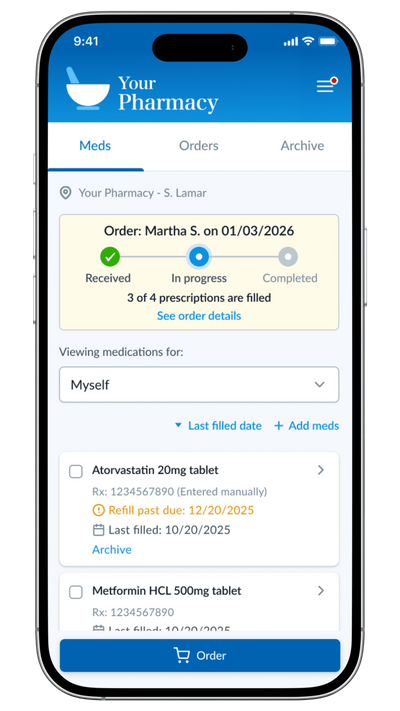
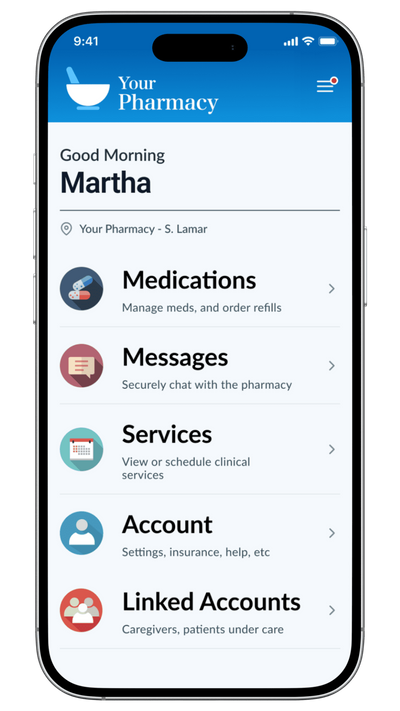
Access the Patient Portal from your home screen
It's quick and easy to install the Patient Portal to your device! Click below for step-by-step instructions on how to make our portal appear on your iPhone or Android home screen so you can manage your care with just a single click.
View the instructions
Questions
Patient portal questions
You can request refills from your personal device, message the pharmacy team directly with questions or concerns, book a service at a time that works for you, and coordinate prescriptions and care appointments for family members from one account.
It’s quick and easy. Follow the step-by-step instructions to make the portal appear on your iPhone or Android home screen.
Open the patient portal from any device — phone, tablet, or computer — or install it on your home screen for one-tap access.